

For in-person mahjong
Track mahjong scores. Back to the game.
888 Mahjong is a Hong Kong Mahjong score tracker for clubs, communities, and venues. One phone records results at each table. An event leaderboard keeps everyone up to date on a shared TV screen.
- Hong Kong Mahjong
- Indonesian app interface
- Web application
Scorekeeping across your venue.
When several tables are playing, organizers need to see which sessions are active and who is recording results. 888 Mahjong has separate views for administrators, phone scorekeepers, and the shared leaderboard.
One scorekeeper per table
Share a four-digit code or table QR link. The first phone to join controls scoring; later phones can view the session.
Points calculated from each result
Enter the winner, win type, and agreed total faan. Review the point transfers before saving.
Event standings across sessions
Participants accumulate net points within the same event. Select their existing participant identity when they move tables.
Results you can review
Look back through previous hands. Administrators can correct results with a reason recorded in the audit history.
On a phone, at the desk, on TV.
These screenshots show the working app with demo data. Names, scores, and table codes are fictional examples. Select an image to view it at full size.
01
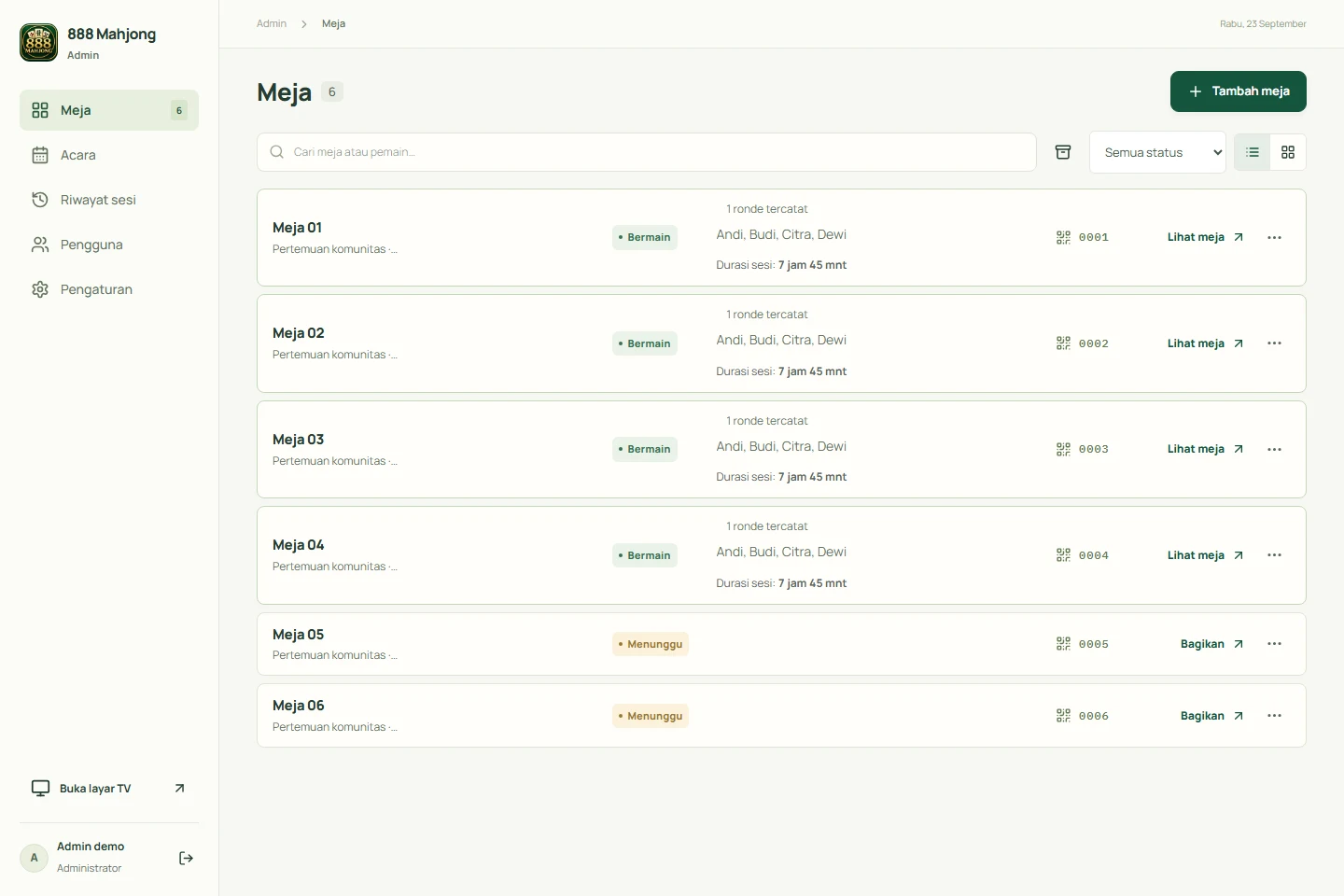
Table management
See open tables, players, and active sessions from the administrator page.
02
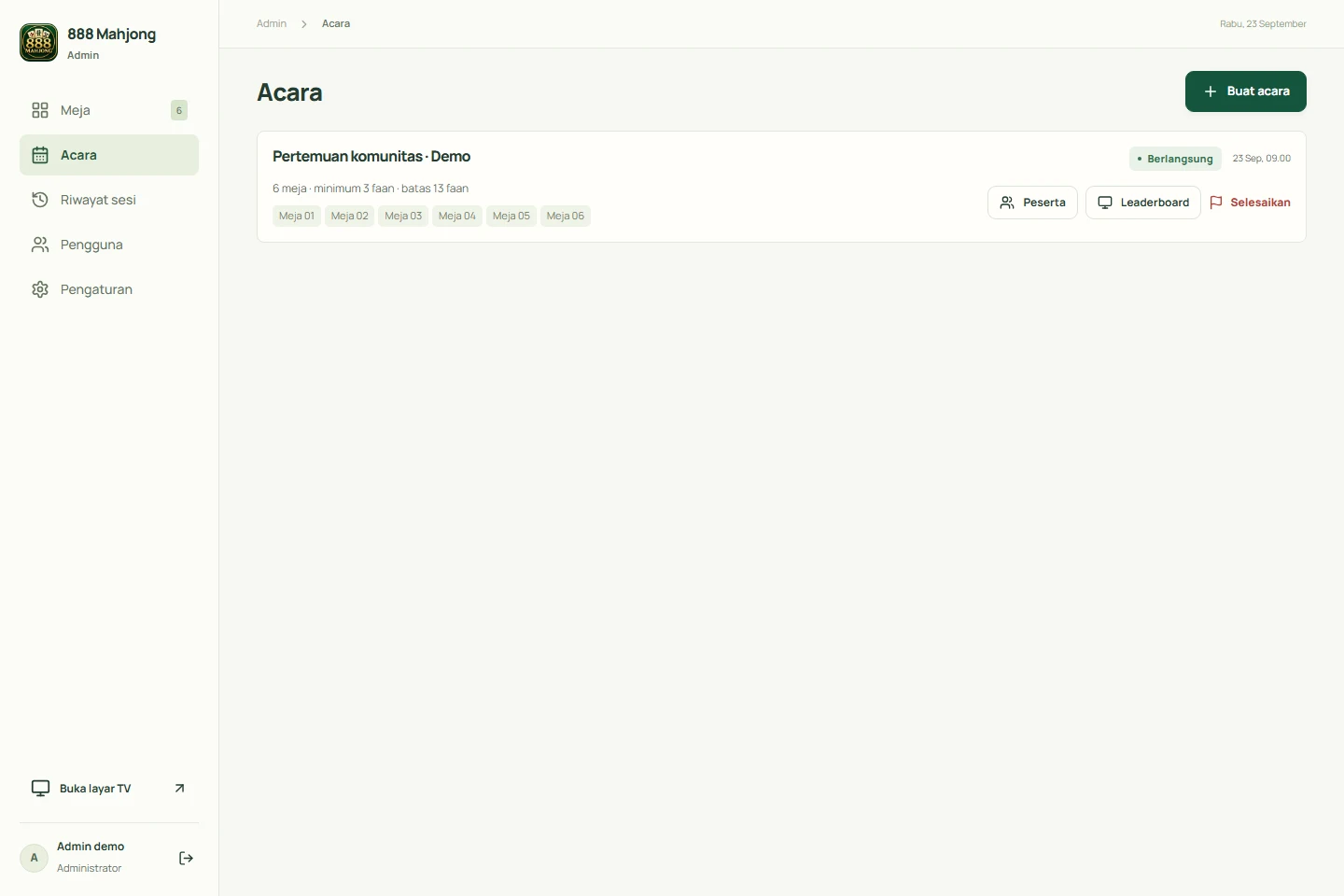
Events and participating tables
View the active event, its tables, and the shared faan rules.
03
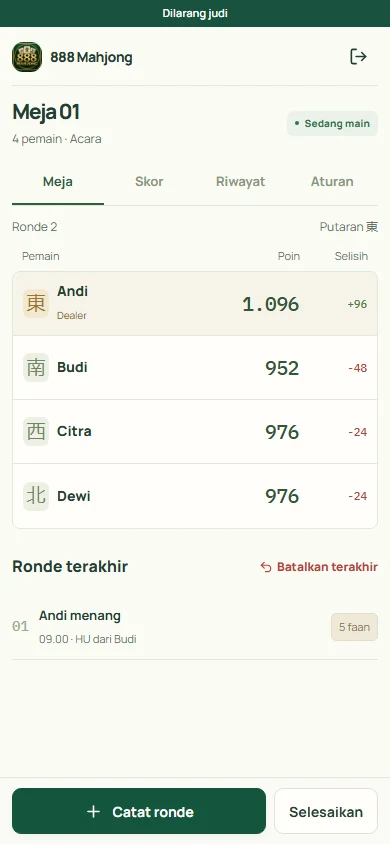
Scores on the scoring phone
Player points and the hand entry button appear on the table screen.
04
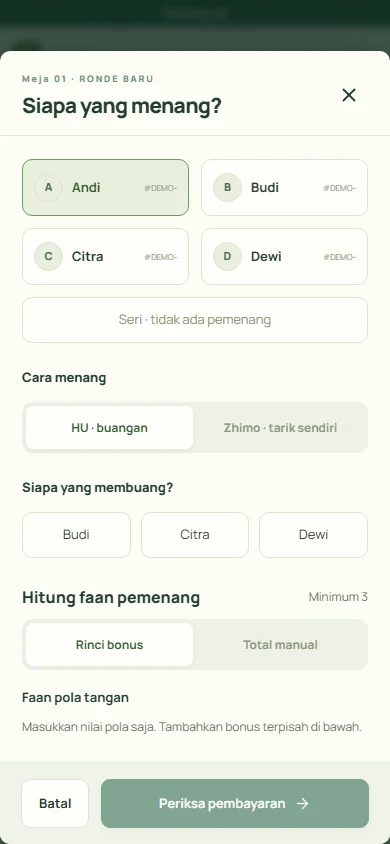
Recording a hand
Select the win type and winner before continuing to record the result.
05
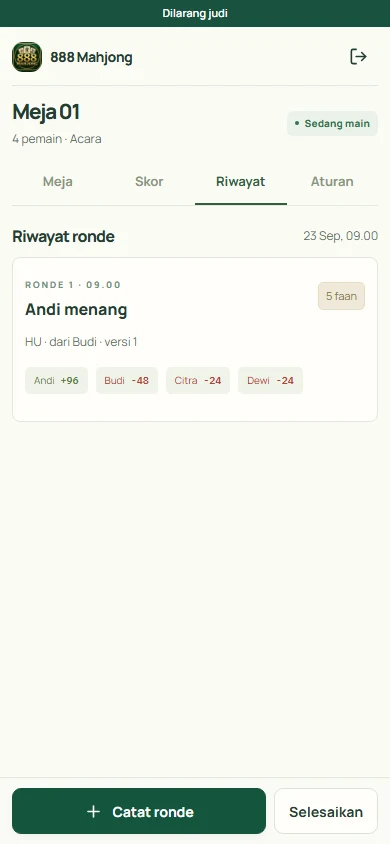
Hand history
Review saved results, total faan, and point changes for each player.
06
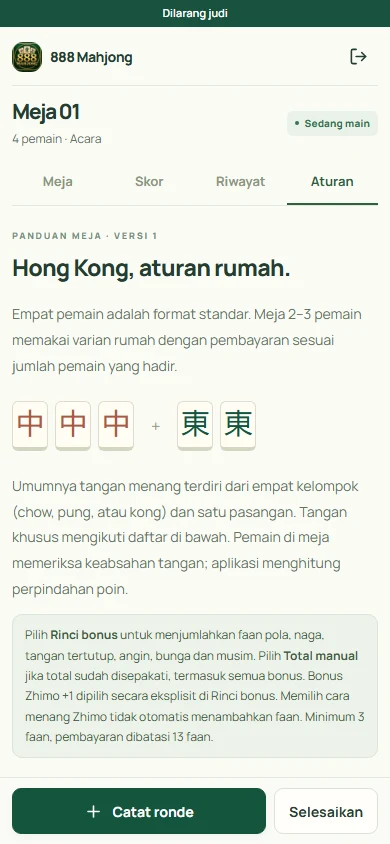
Rules guide
Read the Hong Kong Mahjong guide and house-rule explanations from the session screen.
07
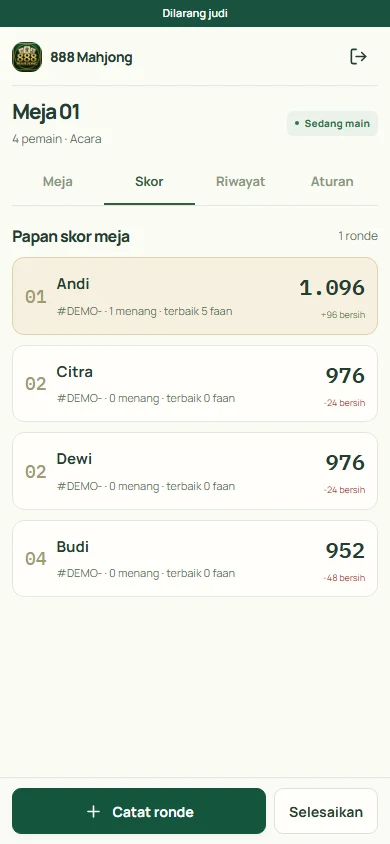
Standings at one table
Compare player points, wins, and best faan within the session.
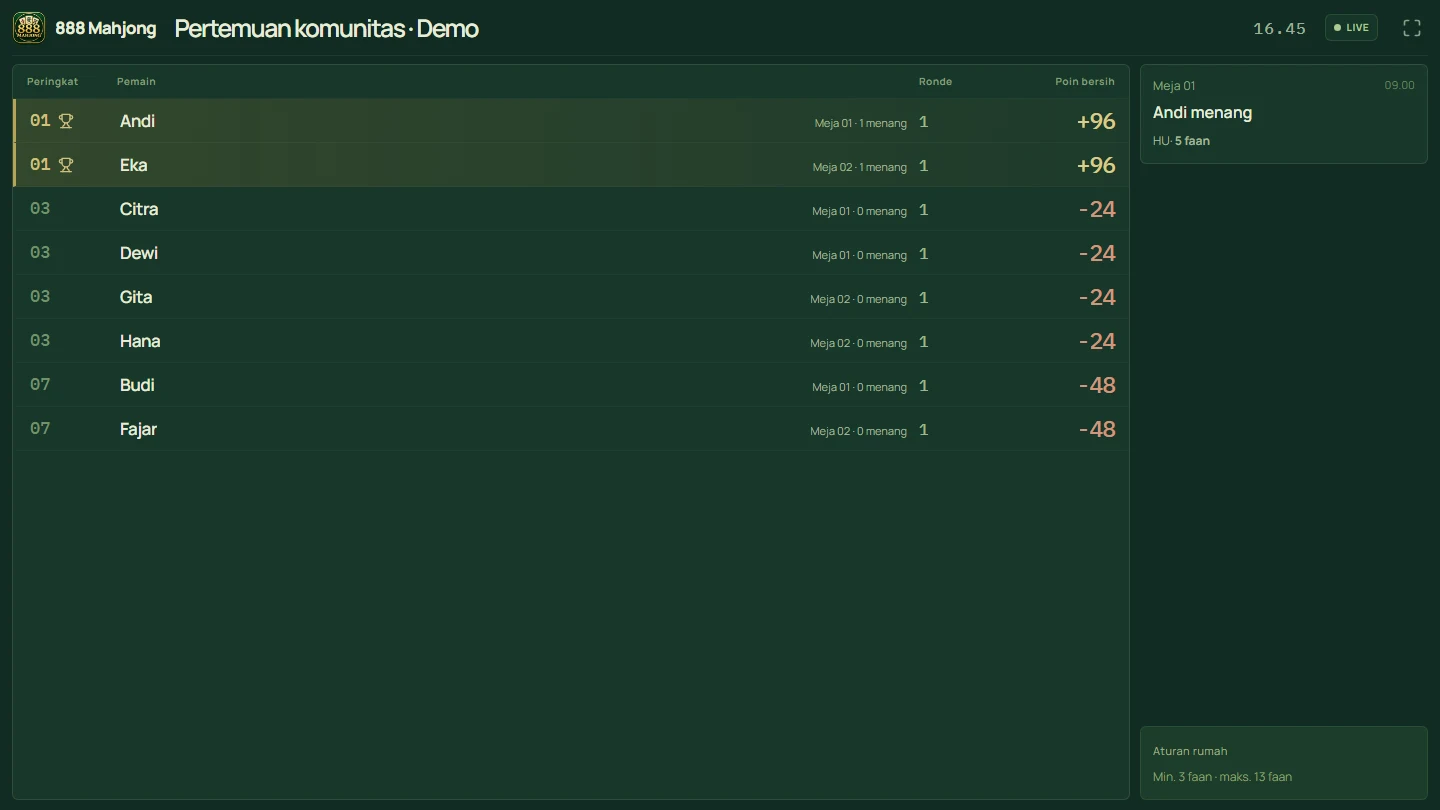
08
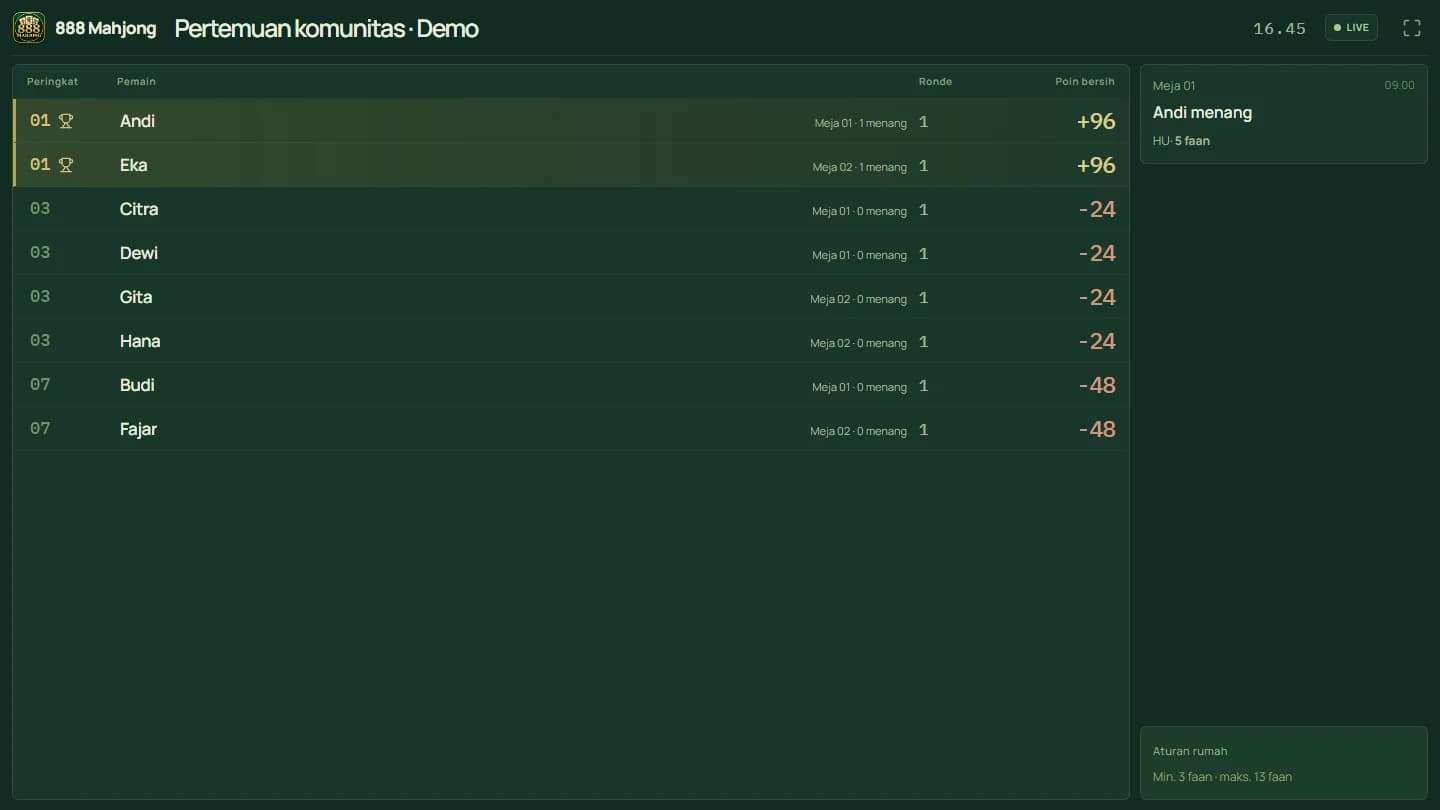
The event leaderboard on TV
Follow participant standings and recent results on a shared screen without showing table access codes.
How an event runs
- 01
Set up tables and rules
An administrator selects the event tables and locks the rules before starting. Tables can also open for casual play.
- 02
Connect the scoring phone
Join with the table code or QR link, then select players in seating order. Four players use the standard format; two or three use the labelled house variant.
- 03
Record a result and review points
Save the hand after reviewing the point transfers. The event leaderboard follows saved results.
- 04
Finish sessions and the event
Finish a session before participants move tables. End the event to finalize its results.
Who is it for?
Use it for community meetups, clubs running several tables, or Hong Kong Mahjong events that need centralized scorekeeping. Organizers still agree the playing rules and verify results at the table.
Before you choose
The app requires an internet connection and records games played with physical tiles. Calculations follow Hong Kong Mahjong rules and the available house settings. Riichi scoring, camera tile recognition, and offline submission queues are not supported.
Questions about the Mahjong app
About scorekeeping, playing rules, and using the app.
Managing a Mahjong club or event?
Tell us how many tables you run, how your events work, and which devices you have. We can discuss the app and any changes your venue needs.
Need a different workflow? Explore custom app development
Developed by CV. Aksara Karya Digital · Features checked